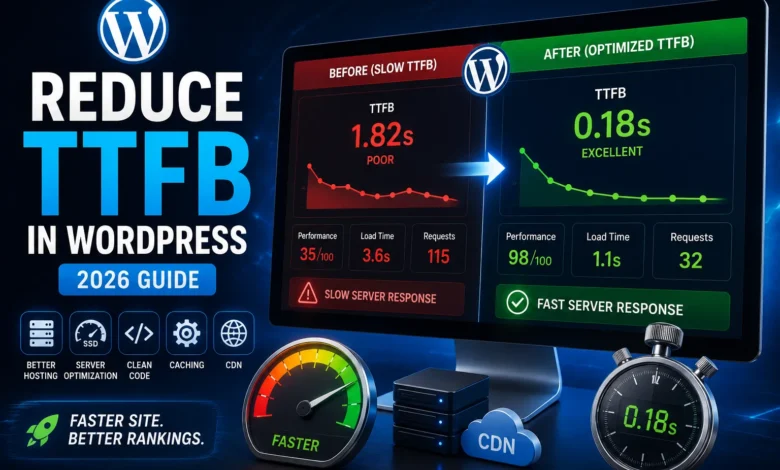
Optimizing page loading speed is one of the most important tasks for attracting traffic. If your page loading speed is not optimal, users will most likely leave your website immediately after entering and encountering this problem. In this article, we will introduce you to the best methods for reducing server response time. TTFB measures how long it takes to load the first byte of a web page; therefore, it is a way to measure a page’s speed.
What is TTFB?
TTFB stands for Time to First Byte, and many people are unaware of its importance. By implementing a few methods, you can easily reduce page load time and satisfy your website users.
As we said, TTFB measures the speed of web pages; the lower the value, the faster the web server responds (i.e., the server has a lower response time). For this reason, TTFB is also called “Waiting Time.” In simple terms, TTFB is the amount of time your browser has to spend waiting for a response from the web server.
TTFB is the time it takes for a web server to respond to your browser request. By reducing server response time, you can speed up your pages. Using a quality hosting service and a fast web server can greatly reduce the time it takes for your website pages to load. But don’t forget to optimize your database and remove unnecessary or redundant code from your website.Why does TTFB matter?
In general, factors beyond TTFB affect your page speed, but it is recommended that you focus on reducing TTFB. There is a lot of talk about TTFB because it helps reduce server response time. In fact, the basis for all speed improvements and for measuring page load speed is this TTFB.
If this parameter is at a desirable level, it will have a significant impact on your page speed and will always ensure it. It is worth noting that improving TTFB is not particularly difficult and, in fact, will take less time than other parameters and speed metrics.
How important is TTFB to search engines like Google?
There may be some confusion in answering this question because it is not clear how important TTFB is to search engines like Google. However, we know that Google, the best search engine in the world today, always emphasizes the importance of website page loading speed.
Google considers speed to be an important ranking factor for websites. Additionally, the company has stated that it does not directly consider TTFB as a ranking factor. This makes the answer to this question a bit confusing.
We suggest that you don’t just take Google’s statements at face value, but read them several times and do some research. Google has said that TTFB is not used alone, but it can be an important metric for website page loading speed.
This is exactly why focusing on TTFB is so valuable. According to research, Google seems to use TTFB-related metrics. First Meaningful Paint is one of these TTFB-related metrics that Google uses.
Why is TTFB so important for visitors?
Website loading speed is very important to users and visitors. Google does not rank many websites with slow page loading speed. It is likely that you have also visited a website and left it because of its slow page load time. The same issue is also very important to other users; if they encounter such a website, they will most likely leave it because they do not have much patience for the page to load.
Website speed should also be of great importance to e-commerce website owners. If the loading speed of e-commerce website pages is slow, users will lose interest in browsing the products on that website. Under these circumstances, the sales rate of an e-commerce website that lacks the desired speed will be much lower than that of competing websites. It is worth noting that TTFB speed is not the same as the website’s overall speed; several other factors also determine the website’s speed.
What is the optimal TTFB?
According to Google Lighthouse, any page that loads in less than 600 milliseconds from the first byte is considered to be good. A TTFB of more than 600 milliseconds is not considered good. If the TTFB is between 300 and 500 milliseconds, it is considered reasonable, and if it is less than 200 milliseconds, Google considers it good. It is worth noting that every 1000 milliseconds is equal to 1 second.
As we said, the lower the TTFB, the better. Many technical SEO experts recommend keeping TTFB between 150 and 200 milliseconds; of course, if you can get it below 150 milliseconds, great!
What are the best ways to reduce server response time?
Below, we will tell you the best ways to reduce server response time.
1. Check your host
Hosting plays a major role in website loading speed. You may try many ways to attract traffic to your website, but a slow website loading speed will kill much of it. Server Response Time also plays an important role in website loading. In general, many factors affect TTFB, and focusing on a single factor may miss others.
Server Response Time largely depends on your host and your website server. The only thing you can do about your unsuitable host is to change it! If your host is causing your pages to load slowly, definitely change it. Another thing is that before choosing and buying your host, you should check all the points related to its speed and resources. If you do not want to face TTFB problems in the future, take this issue very seriously.
A suitable host has the right configuration, software, hardware, location, and capabilities to suit your needs. If there is a defect in any of these areas, the website or web application’s loading speed may decrease. In addition to meeting your hosting needs, Parspack offers expert advice in this field, recommending the best host or server for your needs, and provides 24-hour support for its products.
2. Choose your web server carefully
Choosing the right web server is not that difficult and does not require any technical knowledge. Apache web server powers more than 50% of the world’s websites and is currently the most popular web server. It is the most reliable and best web server in the world, but other web servers, such as Nginx or OpenLiteSpeed , should not be ignored. Both of these web servers are good options, but Apache is the best choice for you.

3. Optimize your web servers
Choosing and using the right web server alone will not be enough; you also need to optimize it. In fact, after choosing the web server of interest, the next step will be to optimize it. It goes without saying that web servers also have default settings that you can use; but these settings are not optimal for all tasks.
So, you need to understand your strategy, usage patterns, and needs, and then decide what settings are optimal for you. Web server optimization is not as difficult as it seems. However, there is no one-size-fits-all solution for optimizing web servers at the moment.
4. Reducing excess code
To fully optimize your website for search engines, you need to understand how search engines like Google find your website. Search engines use programs called spiders to crawl website content and find keywords and queries.
Spiders are looking for unique content. This helps them see your unique content. To help your unique content be seen, you need to reduce the bloat on your website.
Nowadays, many websites contain large amounts of JavaScript and CSS in their HTML code. You should remove or reduce this type of code so that search engine spiders can easily identify your specific content. Reducing the code-to-content ratio helps search engines find your website quickly.
Excessive, unnecessary code slows down your website’s loading speed; therefore, doing this can directly affect your website’s attraction and retention of traffic. One way to reduce server response time is to eliminate unnecessary code. By moving all CSS and JavaScript files, you can improve the loading time of your website pages. By doing this, you ensure that search engine robots can easily find your content.
Another thing to consider is that reducing redundant code greatly reduces the chance of coding errors; however, this does not directly affect your website’s search engine optimization. If you designed your website yourself, you will need to make changes to eliminate redundant code; however, if you have hired a company or individual to do this work, you will need to explain to them how to reduce such code.
5. Database optimization
If you are tasked with improving and maintaining database performance, you already know that indexes and SQL queries sometimes become inefficient. In these situations, they need to be optimized. Several different factors and metrics can affect the performance of SQL code and the database.
Tuning and optimizing SQL statements can be time-consuming. However, it is worth the time you spend optimizing your SQL statements, as it will improve your system’s productivity and performance.
Below, we will introduce some best practices for tuning database performance.
1. Indexes Optimization
Indexing can be called the backbone of any Database system. However, having too many or too few indexes is a mistake; hence, we need to maintain a balance. When we talk about Indexing, the fields used in the order they are used are of great importance during database performance tuning. The number of unique values in a key column of the table is one of the important pieces of information that you need to check while Indexing. Therefore, you need to optimize Indexing to bridge this gap between the two processes.
2. Growth estimation
The database stores all data in the indexed columns during indexing, but any addition or change to the rows affects the values stored in the Index. As a result, the database recognizes the data and adds new rows.
This newly organized data affects Indexing and causes detrimental effects on DML queries. The best solution to this problem is to estimate the database’s growth rate. Once you know the time gaps, you can specify the same for the Index.

3. Storage Partitioning
Even today, physical hard drives face performance issues. Sometimes they cannot process data quickly, which is one of their biggest problems. As databases grow, storage devices start to slow down.
This affects the database performance tuning process; hence, the database management system allows the user to split the data across multiple drives. This reduces the pressure on the storage device.
Partitioning depends on the size of the data and can even be done on a single table in some cases. The more you partition storage across devices, the better database performance and optimized throughput will be ensured.
4. Foreign Key Constraints
Foreign Key Constraints are a common way to maintain data integrity and also affect database performance. Avoiding foreign key constraints and shifting the focus away from data integrity will improve your database’s performance. You can perform the data integrity process at the Application Layer.
Conclusion
As you learned in this article about Follow technologies, reducing server response time is very important, and you should definitely take it seriously. TTFB, one of the main factors affecting page load time, is also highly effective for optimizing your website’s load time.
By following the methods mentioned in this article, we hope you can reduce your server’s Response Time and attract desirable traffic. There are many ways to reduce TTFB, but in this article, the most important ones were introduced.
Frequently Asked Questions
1. What is TTFB?
TTFB is a metric that measures the speed of your website pages and is very important.
2. What does TTFB have to do with search engines?
TTFB has no direct relationship with search engines like Google, but we all know that it is an important component for improving the loading time of website pages.
3. Why should we take TTFB seriously?
TTFB has a significant impact on attracting traffic and, more importantly, retaining it on your website pages. If you have an online store website, this impact is even greater, and TTFB’s importance will increase exponentially.
4. What should be the TTFB?
If the TTFB is more than 600ms, it is considered very bad; if it is up to 600ms, it is considered bad; and if it is between 300ms and 500ms, it is considered good. Also, a TTFB between 150ms and 200ms is considered very good, and a TTFB below 150ms is excellent.
5. What should we pay attention to to reduce server response?
Check your hosting and choose your web server carefully. Also, keep your web servers optimized, reduce redundant code, and check your database.